Guide
How to Contribute to Open Source as a Beginner
How to Contribute to Open Source as a Begginner
Step 1 - Find a Good Beginner Project
Contributing to open source can often feel overwhelming to begin with. If you are going to suceed in your first contribution you need to find a project that is both challening and interesting! Using the resouces below, find a project that is welcoming first time contributors with issues titled “good first issue”
Step 2 - Read the Contributing Guidelines
Every project and developer is different, and if you want to contribute to a project you need to respect the values of that open source project. Navigate to the project’s README document and look for instructions for first time contributors. Often, open source projects maintain a separate CONTRIBUTING.md file at the root of the repository which specifically outlines framework guidance, programming best practices, and commit/pull request message requirements. Make sure you understand these in depth before moving onto step 3!
Step 3 - Claim an Issue
When you have found a project you are interested in, navigate to the issues page on Github. Filter by labels and find all issues labeled “good first issue.” When you’ve found an issue that (1) you find interesting and challenging and (2) hasn’t already been claimed by someone else leave a comment on the issue in this format:
Hi! I’m [NAME] and I’m interested in working on this issue. I’ve read the CONTRIBUTING.md file and reviewed the project guidelines.
If the issue is still available, could you assign it to me? Please let me know if there are any additional considerations before I begin.
Thanks!
Step 4 - Fork & Clone
After being approved by the project maintainers to work on your issue, complete the following steps to begin actual development work.
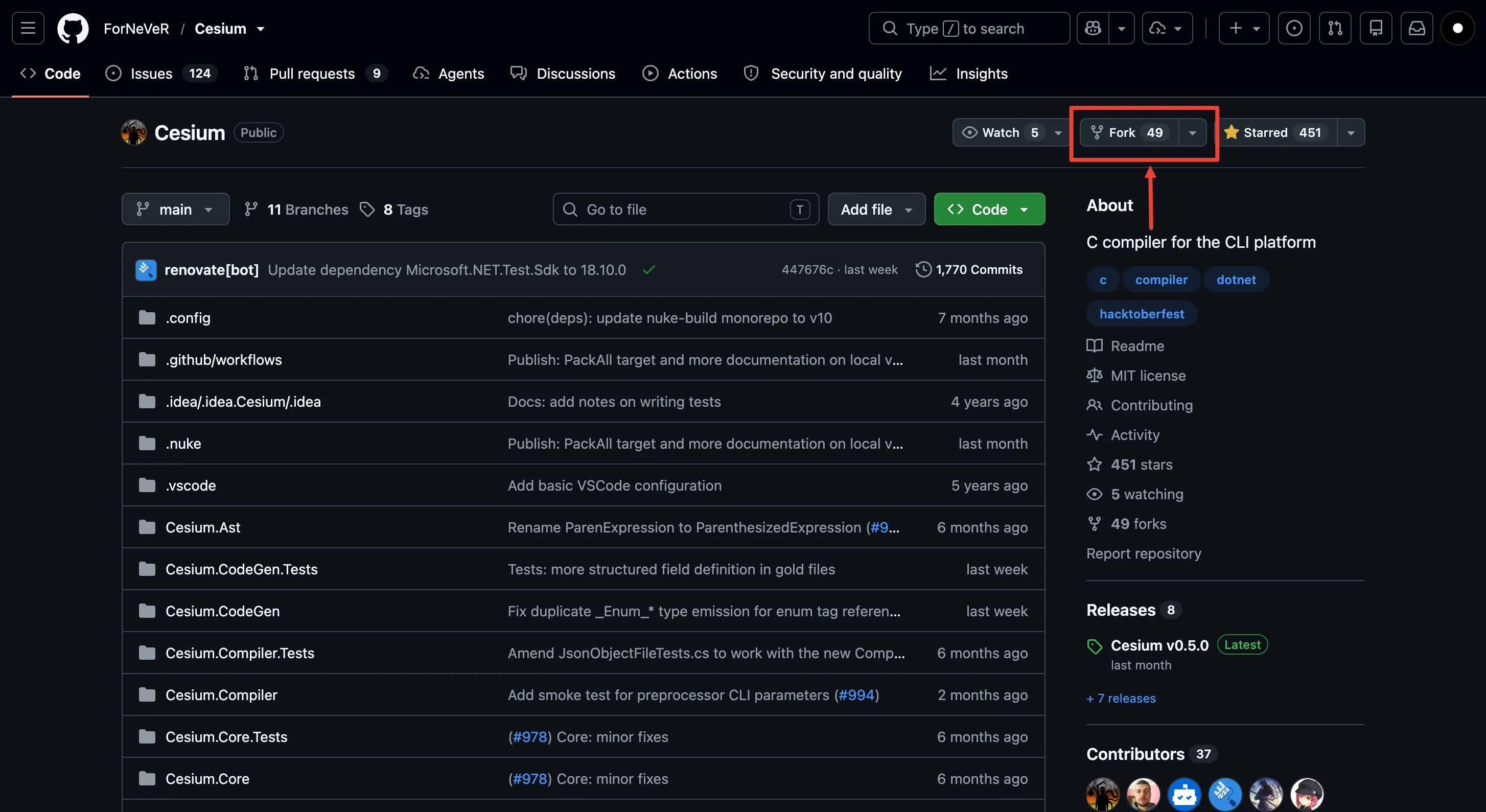
- Fork the clone by navigating to the homepage and clicking the fork button at the top right
Step 5 - Clone the Repo & Create a Branch
Now that you’ve forked the project, clone your fork down to your machine so you can actually start working on it.
git clone https://github.com/your-username/repo-name.git
cd repo-name
Before you touch any code, create a new branch for your issue. Don’t work directly on main! This keeps your changes isolated and makes life way easier if something goes wrong.
git checkout -b fix/issue-name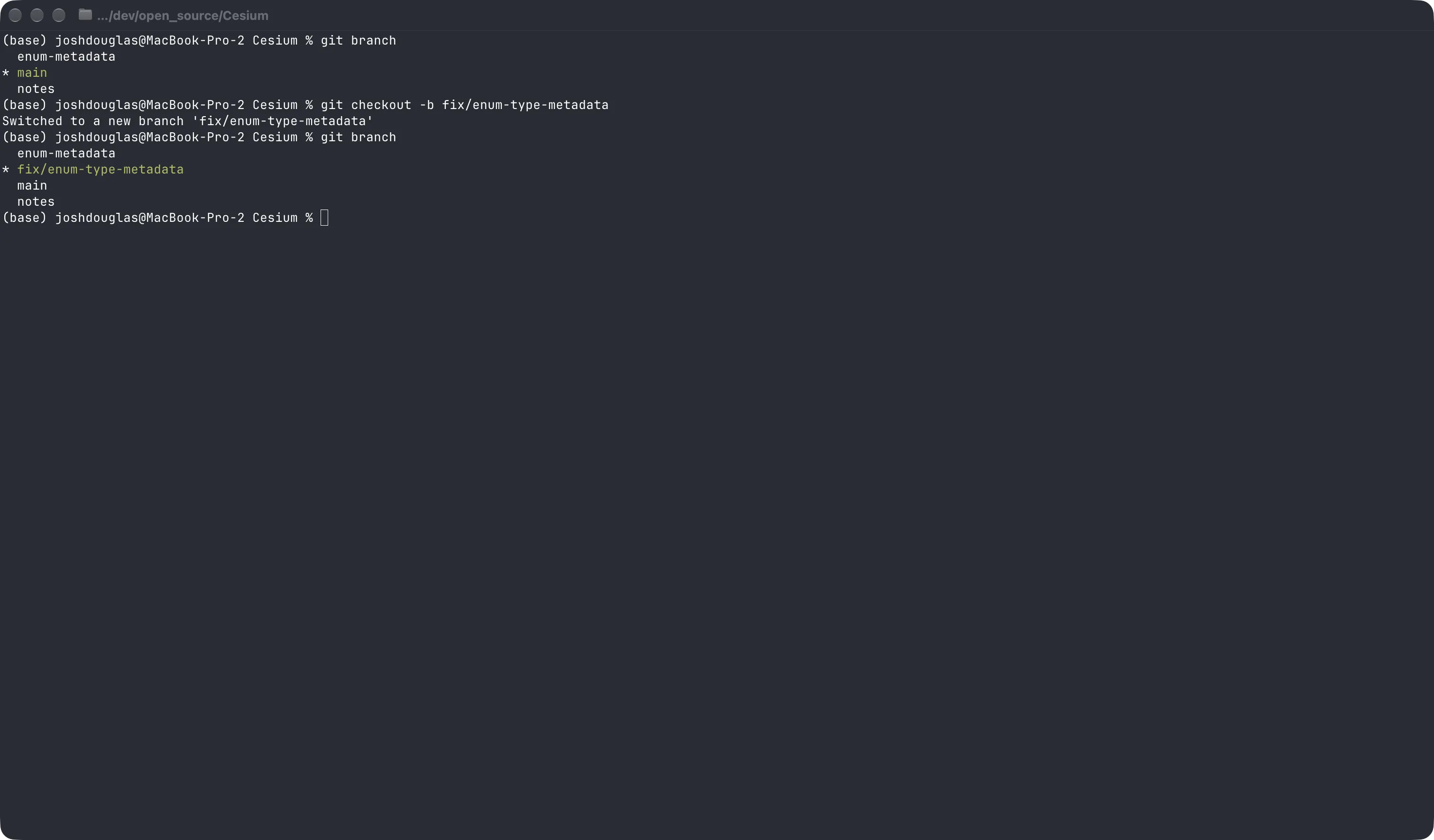
Step 6 - Make Your Changes
Time to actually solve the issue! Go back and re-read the issue description and the CONTRIBUTING.md file one more time before you start, it’s easy to miss small details that end up mattering a lot.
A few tips while you’re working:
- Keep your changes focused on the issue you claimed and keep them scoped! When making commit messages make sure they are detailed and only commit changes to files that are related to the commit message at hand. Don’t just blindly run
git add .and then commit everything with a generic message. This comes across as lazy and unprofessional on top of being a bad practice especially when working with a team. - Follow the project’s existing code style. If they use a linter or formatter, run it before you commit.
- Test your changes locally to make sure you didn’t break anything.
Step 7 - Commit & Push
Once you’re happy with your changes, commit them with a clear, descriptive message. Most projects expect commit messages to follow a certain format, so double check CONTRIBUTING.md for that too.
git add .
git commit -m "Fix: short description of what you changed"
git push origin fix/issue-name
Step 8 - Open a Pull Request
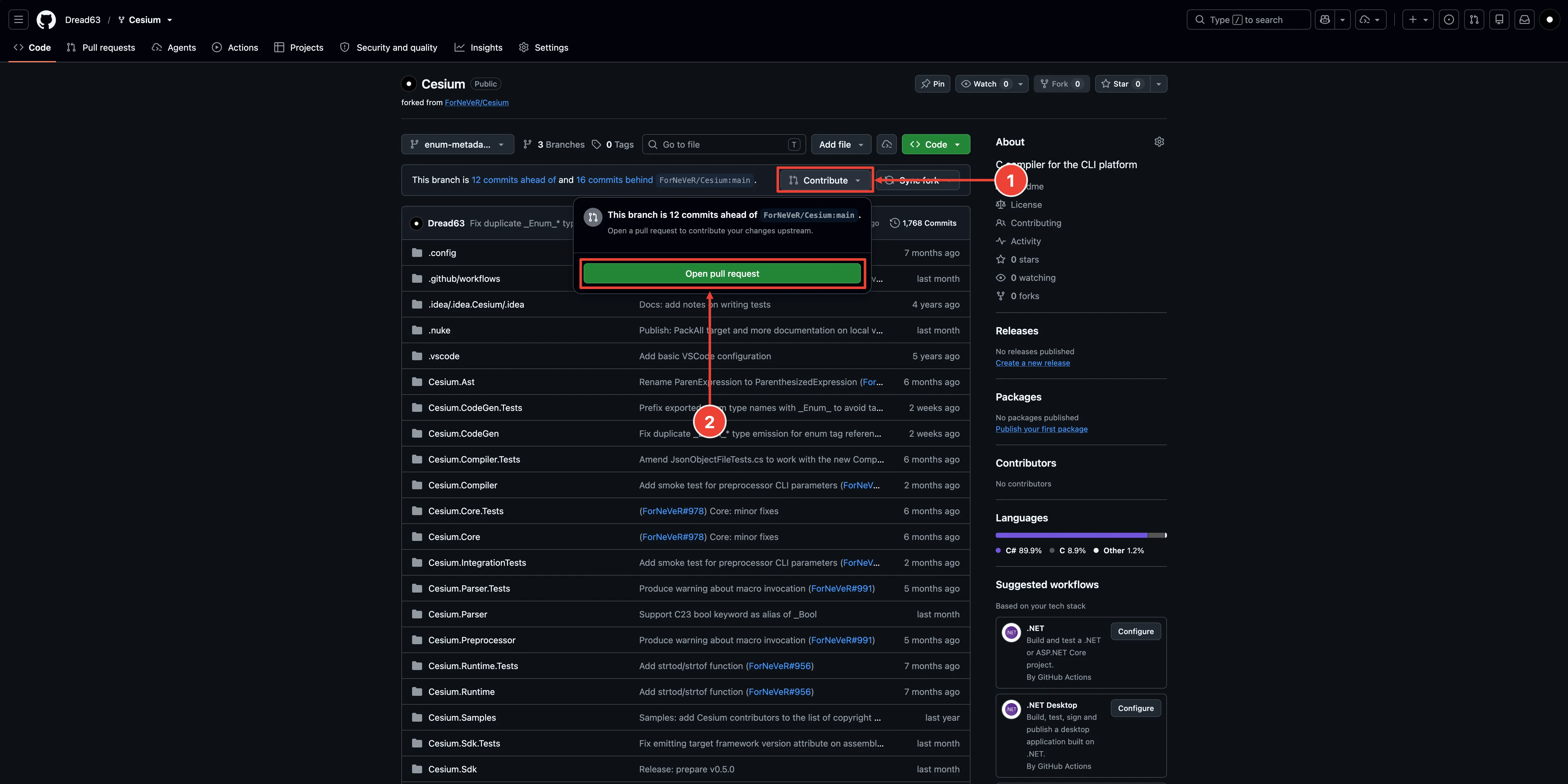
Head back to the project’s GitHub page and you should see a prompt to open a pull request from your new branch. Click it!
In the PR description, explain what you changed and why, and link back to the original issue (usually with something like Closes #123). This helps the maintainers understand your PR at a glance and automatically closes the issue once it’s merged.
Step 9 - Respond to Feedback
Don’t be discouraged if a maintainer asks for changes, it’s completely normal and part of the process. Most maintainers are volunteers reviewing contributions in their spare time, so be patient and polite. Make the requested changes, push them to the same branch, and the PR will update automatically.
Once everything looks good, the maintainer will merge your PR and just like that, you’re an open source contributor!
Wrap Up
If your interested, please go watch my video on youtube speaking from a higher level about my experiencing contributing to open source and the value I belieive it brings to developers of all experience levels!